Today
The live picture of who is in, who is late, and who has not arrived yet.
Included in every plan, including Free.
What this screen is for
Today is the screen you open first thing in the morning. It provides a real-time operational overview of today's attendance, active field visits, pending leave requests, shift punctuality, and exceptions requiring administrative review across your organization.
The screen at a glance
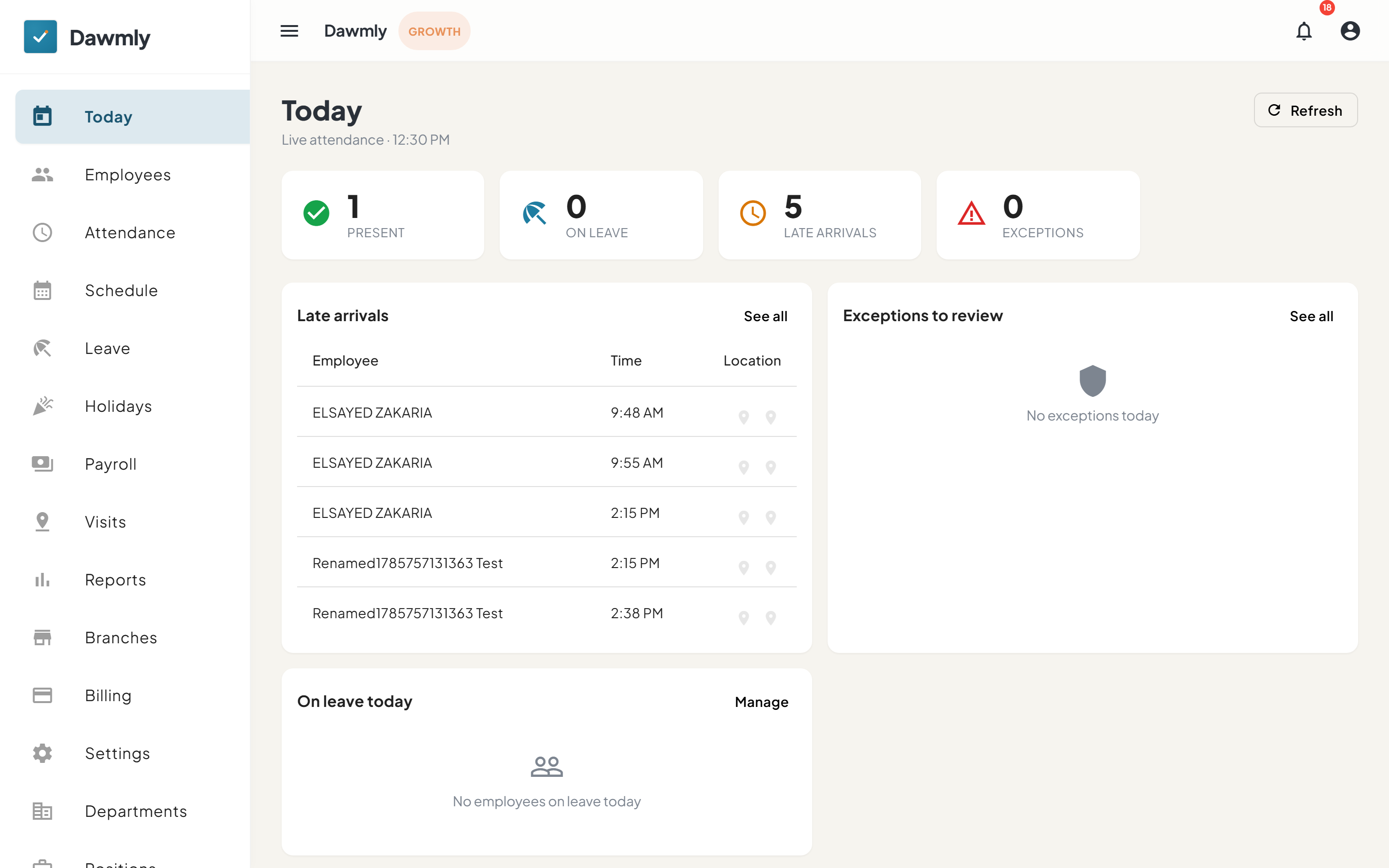
- Header and refresh displays the latest sync timestamp with a Refresh button and organization-level branch filters.
- Attendance overview combines a visual breakdown chart, employee mobile app download links, and KPI cards for Present, On leave, Late arrivals, and Requires review anomalies.
- Operational KPI sections display summary metrics for Active visits, Payroll pending approvals, Leave requests, Branches geofence status, and Billing invoice alerts.
- Late arrivals panel lists employees checking in past scheduled shift start times with interactive map pin buttons.
- Exceptions and anomalies panel highlights attendance irregularities, selfie verification reviews, and geofence flags for immediate supervisor action.
How to get this summary by email every morning
You do not need to open this screen to know how the morning is going. On working days at 10:00 company time, Dawmly sends the owner a Morning summary by email and as a push notification in the Dawmly Admin app.
- It lists today so far (clocked in, late, not in yet, on leave) and yesterday (absent, sessions without a clock-out, overtime and leave waiting for approval), with up to three names per line.
- Each line links back to the right screen: Today, Attendance, Overtime or Leave.
- It is only sent when something needs your attention, and never on rest days.
- To stop it, or to keep only the email or only the push, open Notification Settings and switch Morning summary off under Attendance.
Branch administrators do not get it until they switch it on in their own notification settings, and their summary only covers their branches.
Notes and limits
- Available on every plan, including Free.
- An employee only appears here if they have been assigned to a shift or schedule for today.
- Organization owners and HR administrators can filter the dashboard by branch; branch administrators automatically see only their assigned branch.