Schedule
Shift assignments and weekly work schedules.
Available from the Starter plan.
What this screen is for
Schedule is the shift management matrix for assigning work hours, off days, and shift patterns across weekly calendars. It ensures every employee has clear expected check-in times for attendance tracking.
The screen at a glance
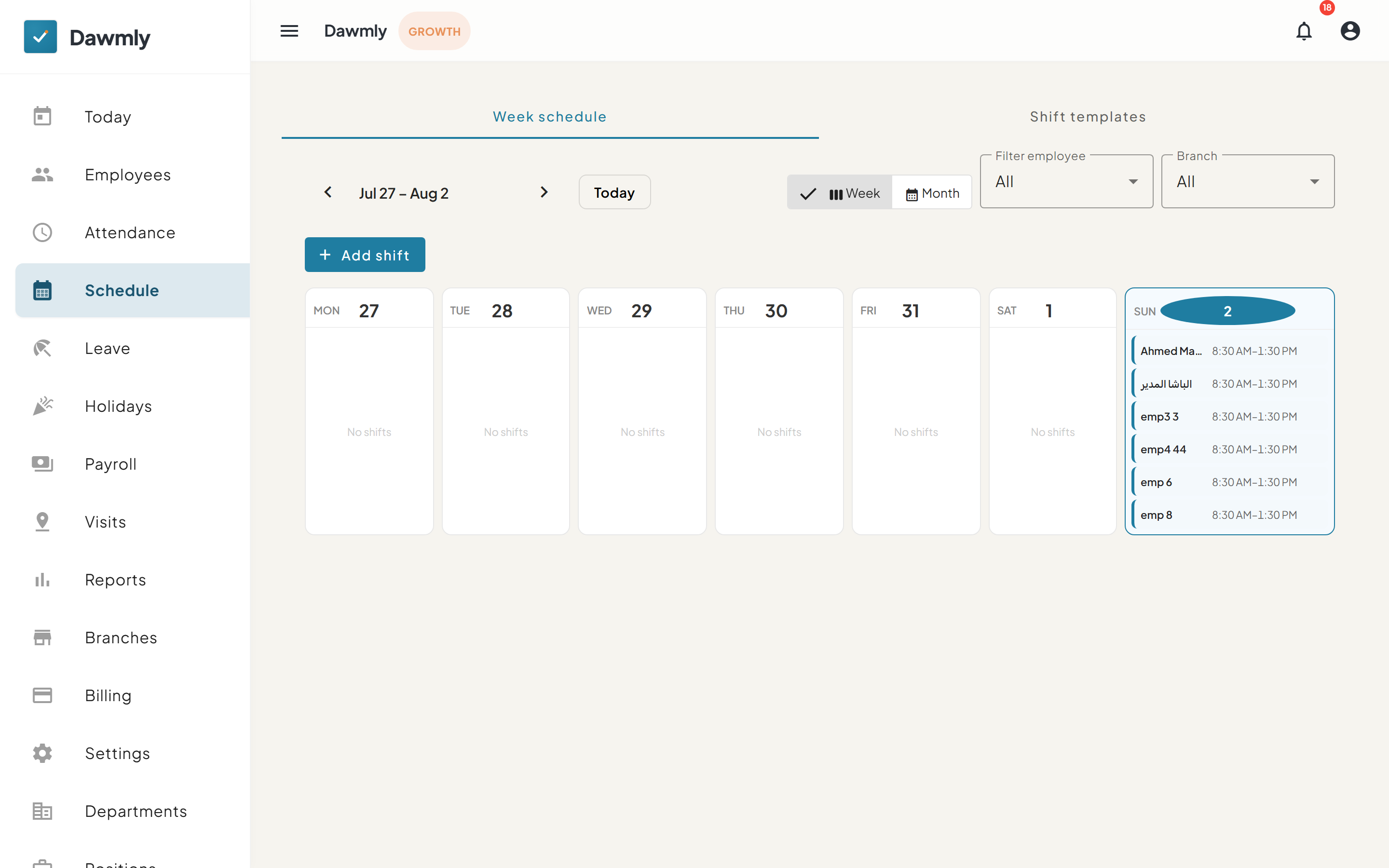
- Week schedule and Shift templates tabs toggle between calendar assignments and reusable shift templates.
- Calendar navigation includes date range arrows, a Today button, and Week / Month view toggles.
- Filter employee and Branch dropdowns narrow down calendar assignments by team member or site.
- + Add shift button opens the dialog to assign a shift template to selected employees.
- Day columns display individual date cards showing assigned employee shifts or a "No shifts" status.
How to assign a shift
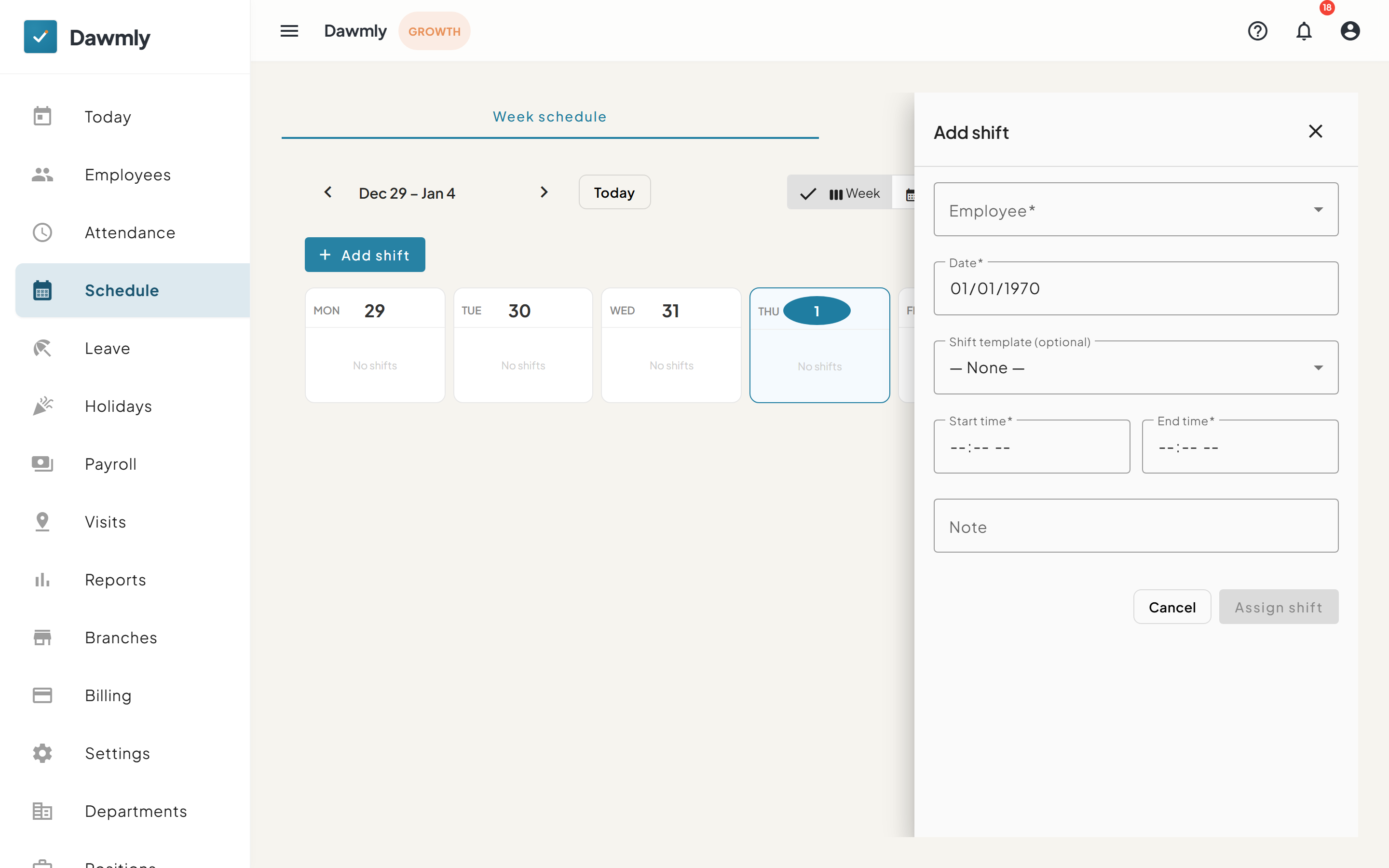
- Select + Add shift at the top right of the schedule screen.
- Choose the target employee and assignment date.
- Select a pre-configured shift template or manually enter start and end times.
- Select Assign shift to save the assignment.
Notes and limits
- Available from the Starter plan.
- Employees without an assigned shift for today will not appear on the Today attendance overview.