Payroll
Calculate monthly salaries based on approved attendance and generate payslips.
Available from the Growth plan.
What this screen is for
Payroll automates salary calculations for your workforce based on approved attendance logs, worked hours, overtime rules, allowances, and deductions. Running a payroll batch calculates itemized payslips for eligible employees, supports manual adjustments with audit reasons, and enables PDF payslip exports.
The screen at a glance
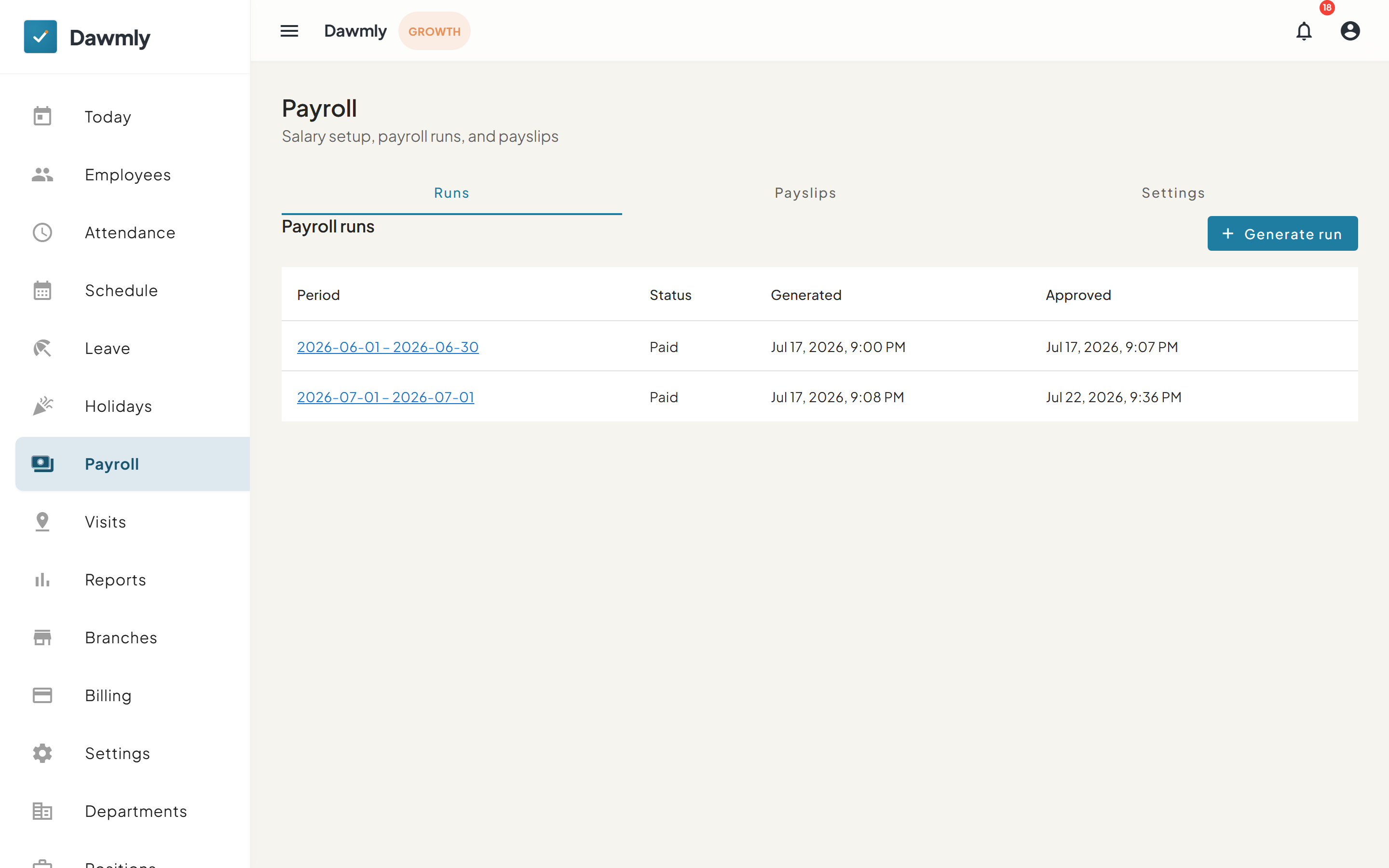
- Runs, Payslips, and Settings tabs navigate between active payroll calculation batches, individual employee payslips, and compensation overtime/allowance rules.
- + Generate run button opens a dialog to initiate a new salary calculation cycle for a selected date period.
- Payroll runs table lists processed pay periods under Period, Status, Generated, and Approved columns, with clickable period links to inspect the payslips in that run.
- Payslips tab displays itemized salary records with employee, status, and branch filters (available for organization owners and HR administrators).
- Payslip breakdown drawer opens when selecting an employee to display base pay, hourly overtime breakdown, earnings lines, deductions, and a manual adjustment form.
How to run payroll
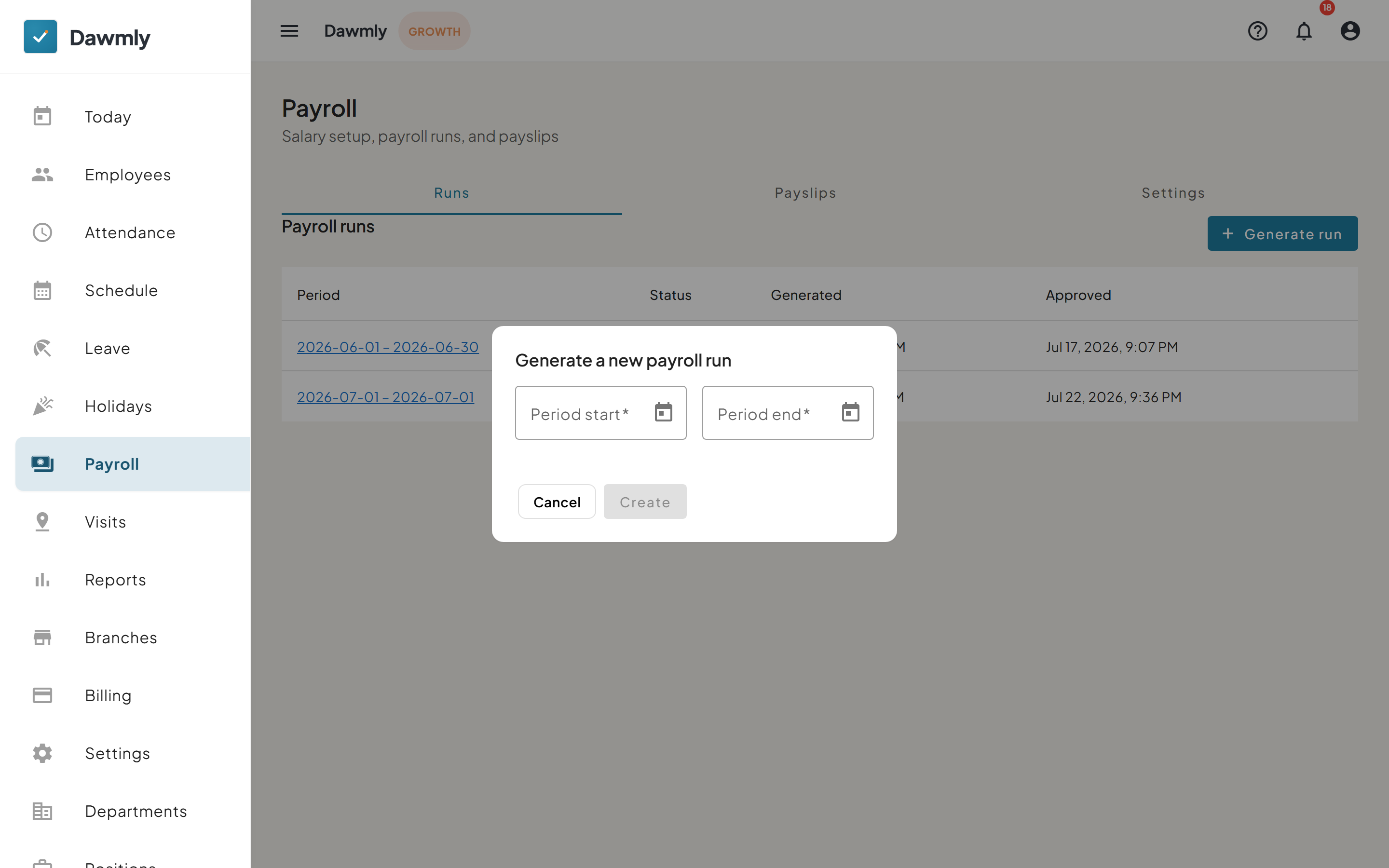
- Select + Generate run above the payroll runs table.
- Choose the pay period start date and end date from the date pickers.
- Select Create to process the salary calculations and generate employee payslips.
- When reviewed, select Approve and subsequently Mark Paid once all items are confirmed.
How to view and adjust a payslip
- Open a payroll run or switch to the Payslips tab.
- Click on an employee's name to open the Payslip breakdown side drawer.
- Review basic pay, worked hours, overtime breakdown, and itemized line items.
- To make a manual correction while the run is under review, enter the Adjustment amount, specify the Reason, and click Apply.
- Click Download PDF to export an official payslip document for the employee.
Notes and limits
- Available from the Growth plan.
- Salaries are calculated directly from approved attendance records; ensure all attendance logs for the pay period are reviewed prior to running payroll.
- Organization owners and HR administrators can filter payslips by branch to review multi-location payroll.
- A payroll run cannot be marked as Paid if any payslip has a negative net pay; negative amounts must be resolved via manual adjustments first.