Official holidays
Define company-wide paid holidays and official non-working days.
Available from the Starter plan.
What this screen is for
Official holidays defines company-wide non-working calendar dates such as national holidays or official celebrations. Days declared here automatically excuse all employees from regular shift check-ins.
The screen at a glance
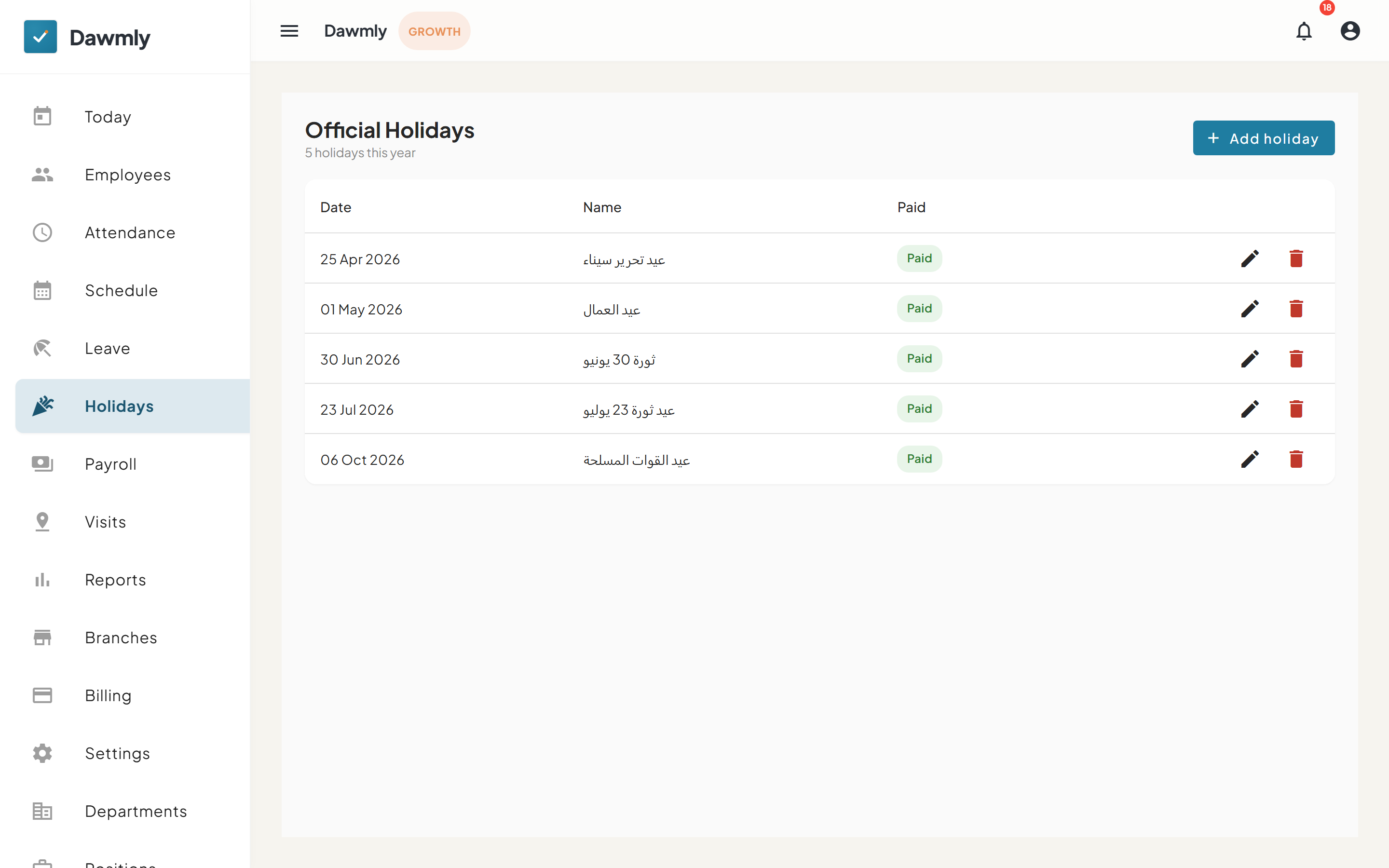
- + Add holiday button opens the dialog to register a new holiday date, name, and paid status.
- Holidays table lists official holidays with columns for Date, Name, and Paid status.
- Row action icons provide edit pencil and delete trash buttons to manage existing holiday entries.
- Ramadan hours card below the holidays list displays configured reduced-hours periods. The + Add period button opens the drawer to specify the period name, date range, and daily working hour cap.
Ramadan hours
The Ramadan hours card lets administrators configure periods with reduced daily working hours (for example, capping daily shifts to 6 hours during Ramadan).
- When a reduced-hours period is active, assigned shifts within that date range are capped to the configured daily hours: the start time remains unchanged, while the effective end time is brought earlier to enforce the maximum shift duration.
- Reduced hours apply strictly to assigned shifts; they do not apply to unscheduled attendance.
Notes and limits
- Available from the Starter plan.
- Official holidays take precedence over weekly shift schedules for attendance evaluation.
- Reduced-hours periods cap shift durations for assigned shifts during the configured dates.