Developers
Manage REST API keys, configure webhooks, and inspect webhook delivery logs.
Available from the Starter plan.
What this screen is for
The Developers portal provides technical tools for integrating Dawmly with external systems like ERPs, payroll engines, or custom workflows. It allows organization administrators to generate REST API keys, register HMAC-secured webhook endpoints, send test event payloads, and inspect real-time webhook delivery logs.
The screen at a glance
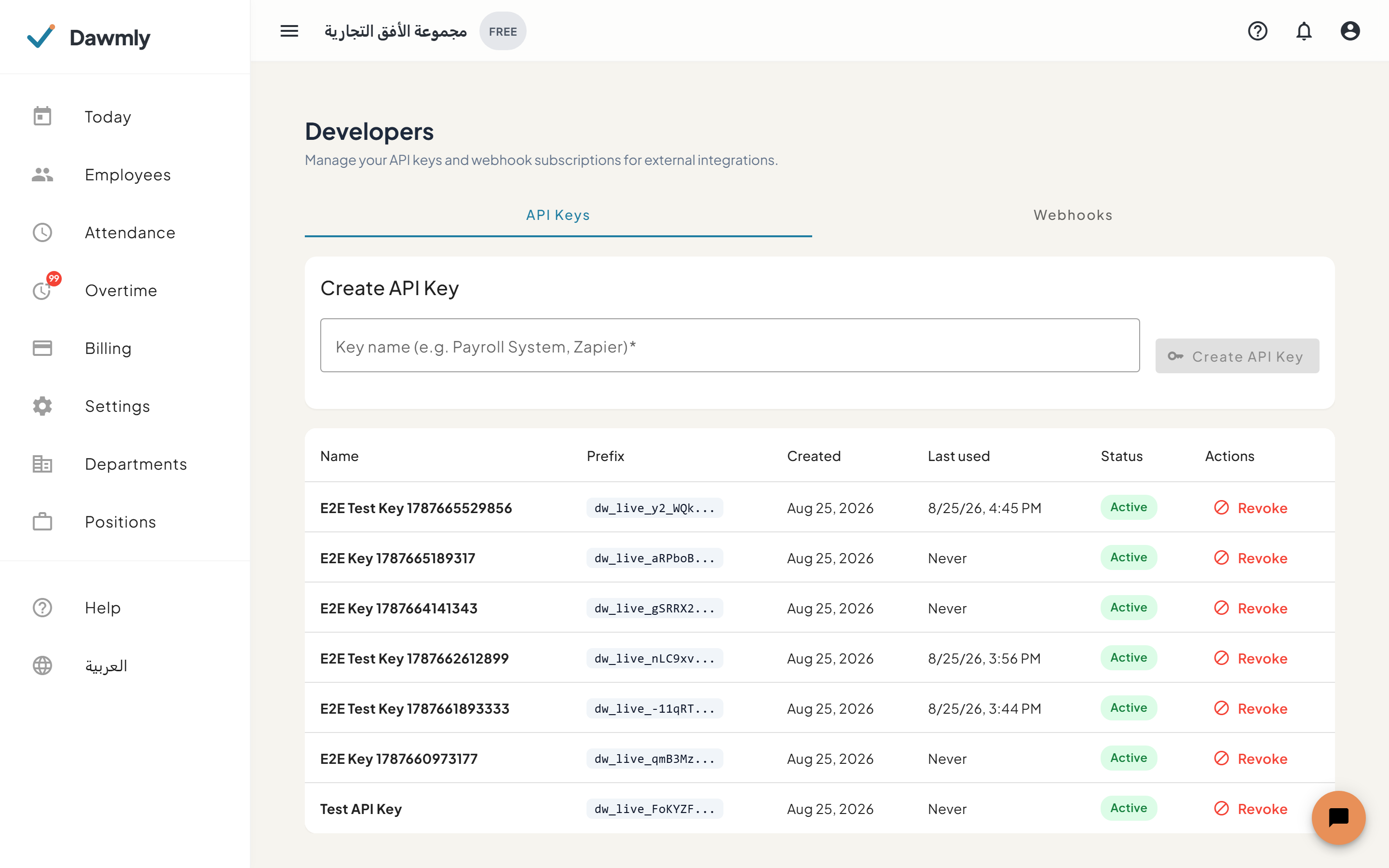
- API Keys tab includes a creation form to generate named API keys and a table listing active keys with Name, Prefix, Created, Last Used, Status, and Revoke action.
- Webhooks tab allows registering HTTP callback endpoints with signing secrets and selecting event subscriptions (such as attendance punches, shift updates, and leave approvals).
- Webhook panels and test action display configured endpoints with event chips, edit/delete controls, and a Send test ping button.
- Delivery history table expands under each webhook to inspect past delivery attempts, HTTP response codes, timestamps, and retry statuses.
How to create an API key
- Navigate to the API Keys tab.
- Enter a descriptive Key name (e.g., "ERP Integration").
- Click Create API Key.
- In the dialog that appears, copy the full secret API key immediately and store it securely (it will never be displayed again).
How to register a webhook
- Switch to the Webhooks tab and click + Add Webhook.
- Enter your endpoint Webhook URL (must use HTTPS in production).
- Optionally provide a custom signing secret (or leave blank to autogenerate) and a description.
- Check the specific event types you want to subscribe to.
- Click Save Webhook.
- Click Send test on the newly created webhook to verify endpoint connectivity and view the delivery record.
Notes and limits
- Available from the Starter plan.
- Only organization owners and tenant administrators have access to the Developers screen.
- API keys carry tenant-wide administrative permissions; revoke any compromised keys immediately.
- Webhook payloads include an HMAC signature in the headers for cryptographic verification.